| Speed | 10.0 / 10 |
|---|---|
| Servers | 10.0 / 10 |
| User Experience | 9.0 / 10 |
| Support | 10.0 / 10 |
| Pricing | 8.0 / 10 |
NordVPN Review 2026 - Before You Buy, Is It Worth It?
- Written By Osama Zahid Cybersecurity Specialist
- Fact-Checked by Sarah Frazier Former Content Manager
NordVPN Overview
NordVPN is a top name in the VPN industry and markets itself as a feature-rich security suite. However, does it really measure up to other industry leaders? To find out, I tested NordVPN extensively and rated it across several different categories.
After my tests, I found that NordVPN deserves all the praise it gets . It’s a solid well-rounded VPN with robust security, privacy, fast speeds, and a global network. Plus, an attractive price tag makes NordVPN totally worth it. It even comes with a 30-day money-back guarantee, so you can test it before committing.
Try NordVPN risk-free
Pros
- Special security servers like Double VPN
- Meshnet creates a virtual LAN network
- Dark Web Monitor alerts to data leaks
Cons
- Doesn’t support torrenting on all servers
- Double VPN servers have limited locations
- Had a server breach in 2018
In a Rush? Here’s a 1-Minute Summary
- Works with popular streaming sites — NordVPN reliably works with top streaming sites. Learn more about which platforms it works with .
- Fast speeds on all servers — Both nearby and distant connections will give you fast speeds. Check out my speed test results here .
- Advanced security features — NordVPN has military-grade encryption, leak protection, a kill switch, and more. Click here for a complete security run-down .
- Independently audited no-logs policy — Multiple reputable auditing firms have confirmed NordVPN’s privacy claims. Read NordVPN’s privacy policy here .
- Easy to install and use — NordVPN has beginner-friendly apps that work with all popular platforms. Here are all the devices you can use it on .
- Good value for money — It’s not the cheapest, but NordVPN’s long-term plans are great value for money. Check out all its subscription plans here .
Protect yourself with NordVPN
NordVPN’s SmartPlay technology ensures uninterrupted access to streaming sites. It combines the security of a VPN with the performance of Smart DNS, routing your DNS requests through NordVPN’s secure servers. This way, anti-VPN trackers can’t block you from streaming with a VPN.
SmartPlay is active by default and doesn’t require any user configuration, so it’s just plug-and-play. Throughout my extensive tests, NordVPN reliably worked with most streaming sites , allowing buffer-free UHD streams on Netflix, BBC iPlayer, Disney+, Max, and more.
Works With Netflix
My tests showed that NordVPN is one of the best VPNs for watching Netflix . It provides steady connections and excellent speeds to ensure uninterrupted streams. Plus, you can access your home Netflix library wherever you are in the world.
My team and I connected to servers in various countries, including Australia, Canada, the US, and the UK, and Netflix always worked without issues. NordVPN ensured consistent UHD streaming across all sessions without any buffering.
I got excellent speeds close to my baseline levels, and I streamed This is Us in UHD without buffering or quality drops.
Works With Hulu
Hulu is also quite effective at detecting and blocking VPN traffic. However, NordVPN consistently works with Hulu without any issues.
I tested servers in Japan and the US and, despite being thousands of miles away from me, I still got speeds way above the 25Mbps needed for UHD streaming.
Works With Disney+
While the login page took some time to load, NordVPN worked with Disney+ in my tests . This included using NordVPN’s servers in the US, UK, Australia, and the Netherlands.
There weren’t any issues after logging into the streaming service either. All I noticed was a few seconds of buffering before the shows and movies started.
Works With Max
You’ll have no issues watching your favorite shows and movies on Max using NordVPN.
In tests, there were occasional unexpected mid-stream buffering and quality drops. However, this only happened a few times across several hours of streaming. Max detected none of NordVPN’s IP addresses .
Works With BBC iPlayer
With NordVPN’s UK servers, you can access your BBC iPlayer account easily without VPN detection. Streaming shows like Top Gear was seamless and buffer-free in our tests.
Depending on your distance to the UK server, you might have a few seconds of delay or buffering as the content loads, but your overall experience should be mostly lag-free.
Stream in UHD with NordVPN
Speed — Exceptionally Fast on All Servers
To my surprise, NordVPN’s speeds came quite close to ExpressVPN — I wasn’t expecting it to be so fast, especially on distant servers. I ran several speed tests, and the test results were consistent across the board. I can confidently recommend NordVPN if you’re someone who can’t compromise on speed.
Speed Test Results
I connected to servers in the UK, US, Germany, and Australia, then used Ookla’s speed test tool to measure performance. The speeds held steady across all locations — I could stream in UHD on multiple devices, download large files quickly, and play fast-paced online games without issues.
I used NordLynx for these tests because it’s the fastest protocol , built on the lightweight WireGuard with just 4,000 lines of code. It uses optimized encryption to lower computational load, speeding up data transfers. Compared to OpenVPN and IKEv2, NordLynx was slightly faster on nearby servers and considerably faster on distant ones.
I recorded my speeds on each server using different protocols in the chart below. Note that my baseline speeds were 100Mbps:
| NordLynx | OpenVPN | IKEv2/IPSec | |
|---|---|---|---|
| Dubai, UAE Distance: 700+ miles | 98Mbps | 89Mbps | 91Mbps |
| Frankfurt, Germany Distance: 3,500+ miles | 94Mbps | 84Mbps | 85Mbps |
| London, UK Distance: 4,000+ miles | 94Mbps | 82Mbps | 84Mbps |
| Perth, Australia Distance: 5,000+ miles | 90Mbps | 80Mbps | 84Mbps |
| New York, US Distance: 7,000+ miles | 88Mbps | 79Mbps | 81Mbps |
Gaming Speed — Low-Ping Connections Ensure Lag-Free Gaming
NordVPN is one of the best gaming VPNs you can get. I connected to a local VPN server and launched Call Of Duty: Warzone . I usually get about 45–55ms latency while playing Warzone, and it was 60ms when connected to a nearby NordVPN server. This minor ping difference wasn’t noticeable, and I played entire matches without lag.
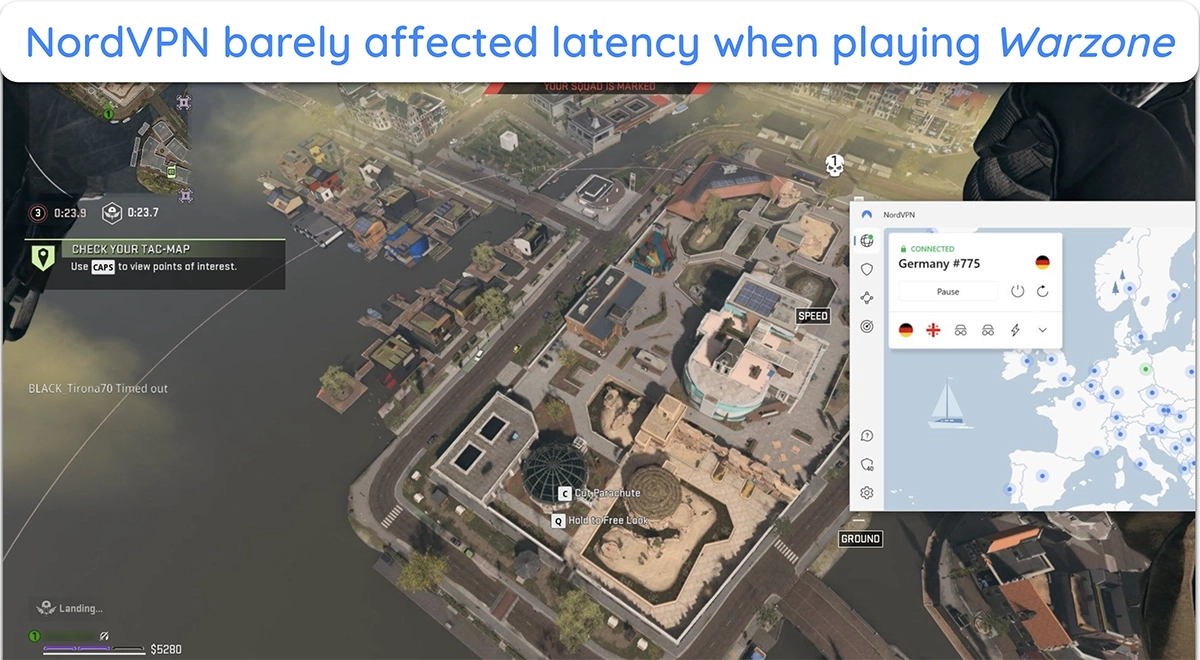
On distant servers in the US and Canada, my ping varied between 85 and 100ms, which is still decent for lag-free gaming. Even on heavy network loads, NordVPN held stable speeds while playing Call of Duty . I didn’t have any issues downloading large updates on Steam and Epic, streaming gameplay, and joining multiplayer sessions.
| Download speed reduction | Upload speed reduction | Ping time to Google.com | Average time to connect (seconds) | Unblock successful for | |
|---|---|---|---|---|---|
| NordVPN | 10% (UK) | 14% (FRA) | 2ms | 9 | Netflix Hulu Kodi ESPN Youtube BBC iPlayer |
| Average score of top 10 VPNs | 11% (UK) | 16% (FRA) | 24ms | 11 | Netflix Hulu Kodi Youtube BBC iPlayer |
| NordVPN | Average score of top 10 VPNs | |
|---|---|---|
| Download speed reduction | 10% (UK) | 11% (UK) |
| Upload speed reduction | 14% (FRA) | 16% (FRA) |
| Ping time to Google.com | 2ms | 24ms |
| Average time to connect (seconds) | 9ms | 11ms |
| Unblock successful for |
NordVPN has a reliable global network of servers, so you’ll find a nearby connection anywhere in the world. Thanks to its SmartPlay technology, it doesn’t need streaming-optimized servers. Instead, NordVPN offers specialized security servers designed to protect your privacy .
Server Network — Large Global Network of Servers
NordVPN has a network of over 8918 servers across 178 countries , including major cities in the Americas, Europe, the Middle East, and other regions. Most of these are 10Gbps connections that provide ample bandwidth to avoid congestion and server instability. Plus, all servers are RAM-only, meaning they cannot store your data on disks.
You can also find colocated servers in Finland, Sweden, Switzerland, Belgium, and more. By taking complete server control, NordVPN can guarantee top-grade security , ensuring you stay protected against any third-party interference or data malpractices. In addition, it offers special security-enhancing servers, such as:
- Double VPN servers — route your data through 2 separate servers, encrypting it twice. This makes it nearly impossible for snoopers to trace your IP or monitor your activities.
- Obfuscated servers — make your VPN traffic appear as regular HTTPS traffic to avoid network blocks and access global web services freely in restrictive countries.
- Onion over VPN servers — combine NordVPN with the Tor network, passing data through multiple encryption layers to improve online anonymity.
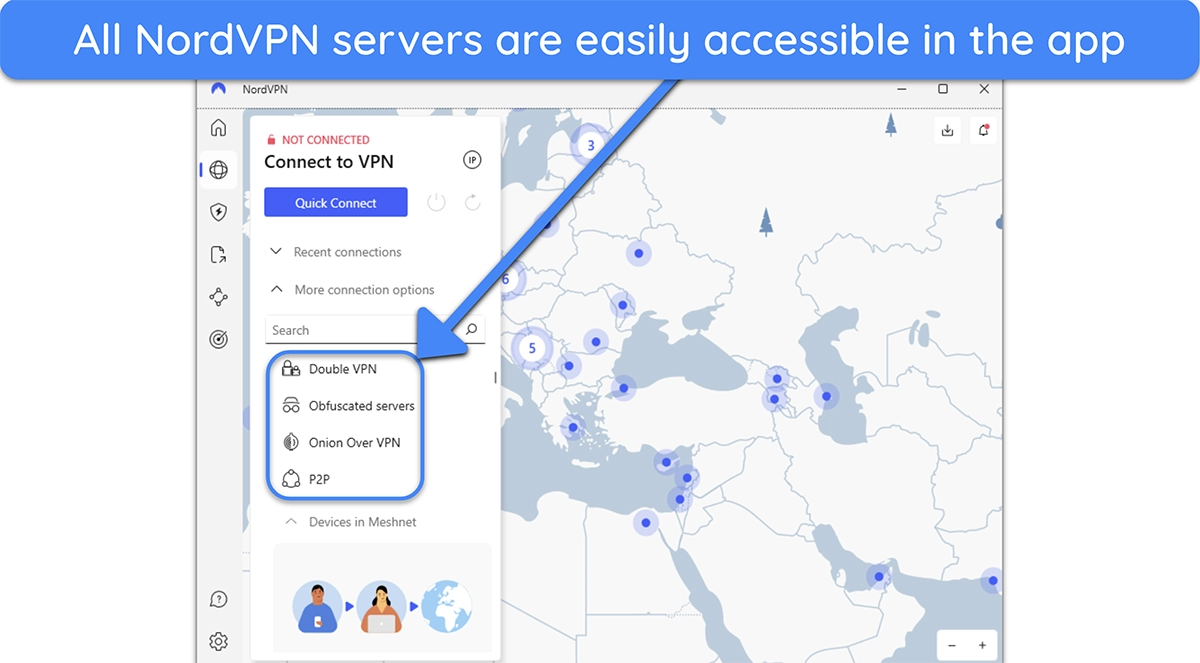
Overall, NordVPN has an impressive server network that guarantees speed, security, and reliability. You can find a nearby server for fast speeds no matter where you are, and its various specialty servers add extra layers of protection.
Torrenting — Effective for Quick and Anonymous Torrenting
NordVPN’s regular servers don’t allow torrenting , so you’ll have to connect to its specialized P2P servers in 70+ countries. These servers are designed for fast file sharing and are located in regions with more relaxed torrenting laws. When NordVPN detects torrenting traffic, it automatically routes you to the nearest P2P server.
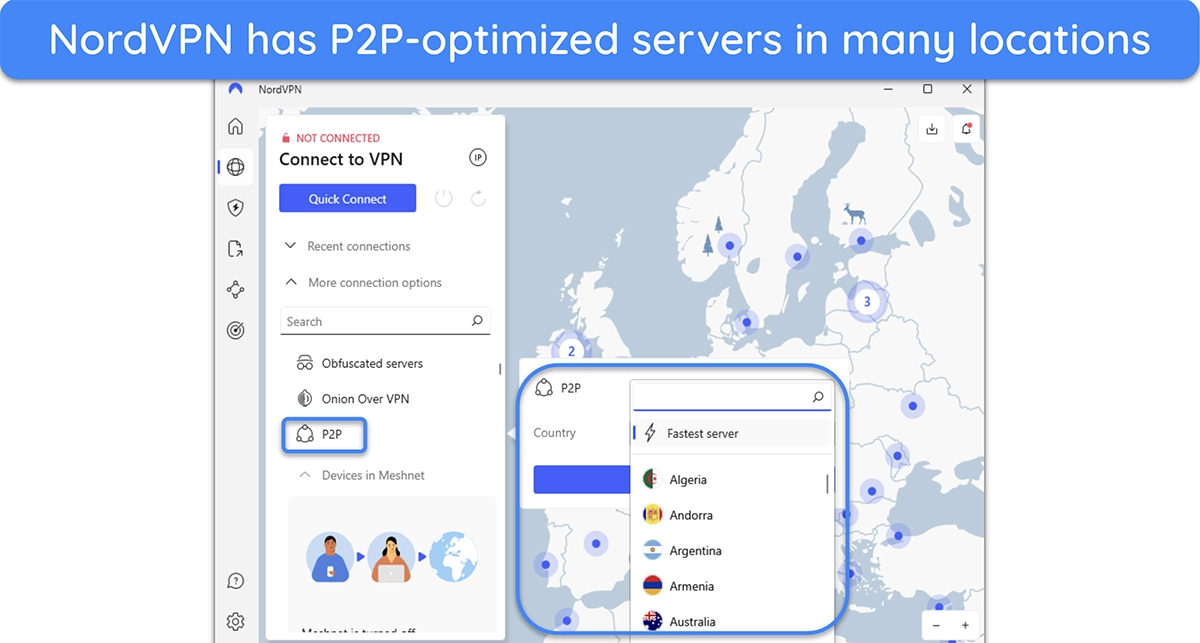
I tested NordVPN’s P2P servers with clients like qBittorrent and uTorrent, and I got consistently fast download speeds . Downloading a copyright-free old classic, Plan 9 from Outer Space, just took around 6 minutes with NordVPN.
The download speeds were only 20% slower than my baseline connection, while the upload speeds were up to 50% slower, depending on server distance. Overall, NordVPN is one of the best VPNs for safe and anonymous torrenting .
SOCKS5 Proxy Servers — Faster Speeds at the Cost of Security
If you want even faster torrenting speeds, NordVPN provides SOCKS5 proxy servers, and you can get their details by logging into the web portal. These proxy servers change your IP address but don’t encrypt your connection , usually leading to faster download speeds. If you aren’t worried about encryption, this feature can help you torrent files even faster.
Does NordVPN Work in China? Maybe
While NordVPN has obfuscated servers that can theoretically work in China, getting past China’s Great Firewall can be a hit or miss with NordVPN . However, NordVPN works well in countries with mild or less censorship, such as the UAE.
When I contacted the app’s support, they said it won’t work in China if you’re using a Windows device. However, you might be able to use NordVPN in China by setting up a manual IKEv2 connection on Android, iOS, macOS, and Linux devices.
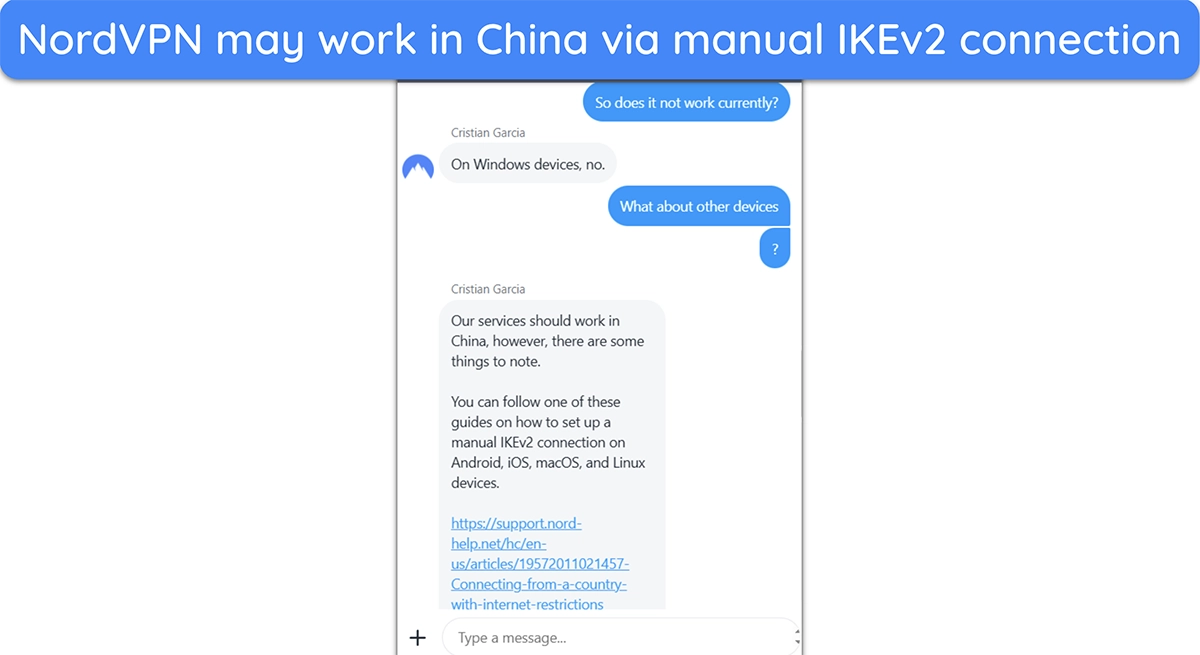
Since China constantly improves its VPN detection technology, even a manual IKEv2 connection with NordVPN isn’t guaranteed to work. If you need a VPN that works reliably in China, ExpressVPN is your best choice . It’s one of the few VPNs that works consistently there.
Security Features
NordVPN’s security features are among the most comprehensive, combining robust encryption, advanced protocols, and unique tools like Dark Web Monitoring, Invisibility on LAN, and Meshnet.
Encryption — Military-Grade Encryption Ensures Data Privacy
NordVPN secures your data with AES-256 encryption , a powerful standard used by military and government agencies globally. AES-256, with a 256-bit key, creates a virtually impenetrable encryption wall. Plus, NordVPN pairs this with ChaCha20 for mobile devices when using its NordLynx protocol for light and efficient encryption.
In addition to military-grade encryption, NordVPN uses Perfect Forward Secrecy , a security feature that changes encryption keys with each session. This means even if someone accessed one session’s key, they would only see the data from that specific session, not the rest.
VPN Protocols — A Good Blend of Speed and Security
NordVPN offers three VPN protocols: NordLynx, OpenVPN, and IKEv2/IPSec, each tailored for different security and speed needs.
| Protocol | Available on | Description |
|---|---|---|
| NordLynx | Windows, macOS, Linux, Android, and iOS | Built on WireGuard, NordLynx is NordVPN’s fastest protocol, using a streamlined codebase to improve speeds and performance. It also includes a ‘Double NAT’ system, which ensures your data is never written onto the server |
| OpenVPN | Windows, macOS, Linux, Android, and iOS | With UDP and TCP options, OpenVPN is highly secure. For torrenting, UDP offers better speeds, while TCP is more stable for high-security tasks. It’s considered a reliable protocol even on fluctuating networks |
| IKEv2/IPSec | macOS and iOS | Primarily used on mobile, IKEv2/IPSec reconnects quickly during network changes, like switching between Wi-Fi and cellular. This feature makes it ideal for users on the go |
Kill Switch — Protects Your Privacy if the Connection Is Unstable
Unlike other VPNs, NordVPN has 2 kill switches — the first is the internet kill switch, which disconnects your entire connection if the VPN gets unstable. The second is an app-specific kill switch that only quits selected apps when you’re not connected to NordVPN.
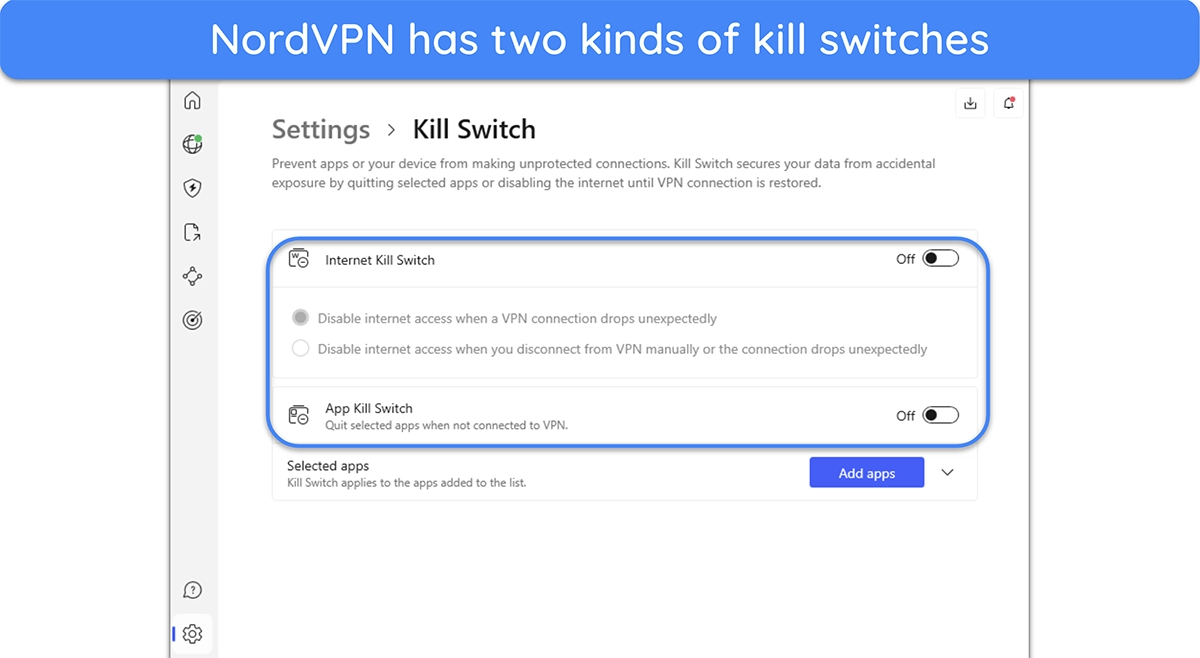
A kill switch keeps your IP hidden if the VPN server disconnects unexpectedly. I tested NordVPN’s kill switch by simulating a VPN server drop and common internet issues, like weak Wi-Fi and router restarts. In each case, the kill switch instantly cut my connection , blocking unprotected traffic and ensuring my real IP stayed private.
Leak Protection — Never Leaks Any Personally Identifiable Information
I was pleased that NordVPN passed all leak tests and kept my location and IP address hidden . To test this, I connected to different NordVPN servers and ran DNS and IP leak tests . My IP address and other identifying information were never leaked, and each test showed the location and IP of the NordVPN server I connected to.
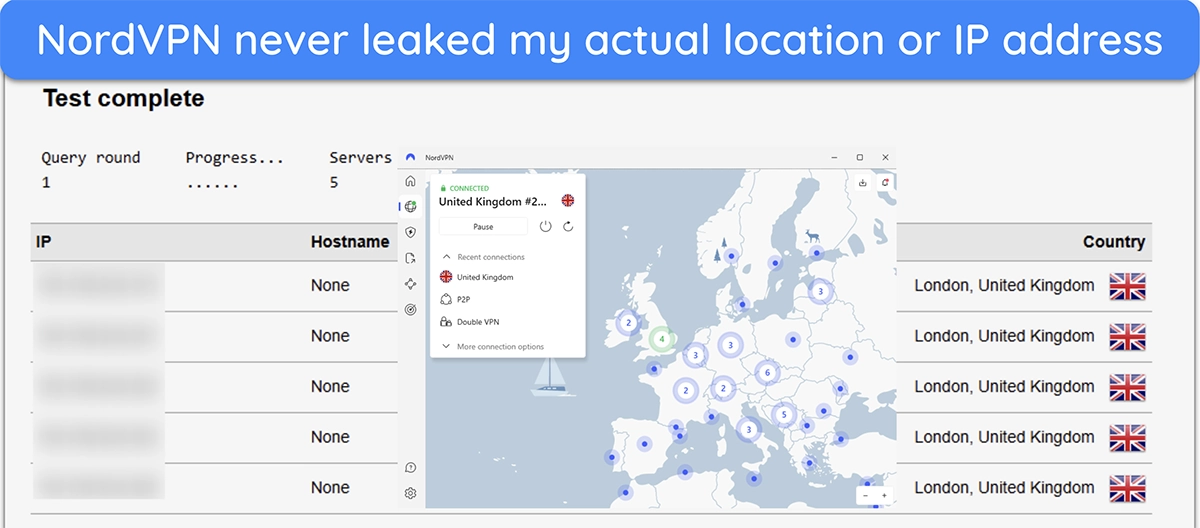
You need to use NordVPN’s browser extension to protect your IP fully during browser-based calls and video sessions. When I ran WebRTC leak tests without the extension, my IP occasionally showed. However, using NordVPN’s extension on Chrome completely blocked WebRTC leaks .
Split Tunneling — Great Feature but Not Available on All Devices
NordVPN has a split tunneling feature that lets you specify which apps should use the VPN tunnel. This feature is helpful when you only need to use a VPN on specific apps while ensuring you can still access region-specific banking and other services without disconnecting from the VPN.
Split tunneling in NordVPN is easy to set up on all its apps. Just navigate to the settings menu and choose which apps are allowed to bypass the VPN tunnel. You can also configure it inversely so that only specific apps use the VPN while the rest bypass its tunnel. Because most Apple devices don’t allow this feature, NordVPN’s split tunneling functionality isn’t available on macOS and iOS.
Threat Protection — Powerful Security and Quality-of-Life Tool
Threat Protection is a standout NordVPN feature that keeps you safe online and blocks annoying ads. You can easily enable it from the app’s interface, and it’ll instantly start improving your online protection. It blocks ads, trackers, and malware while surfing the web , and it also blocks malicious downloads and spots any vulnerable apps on your device.
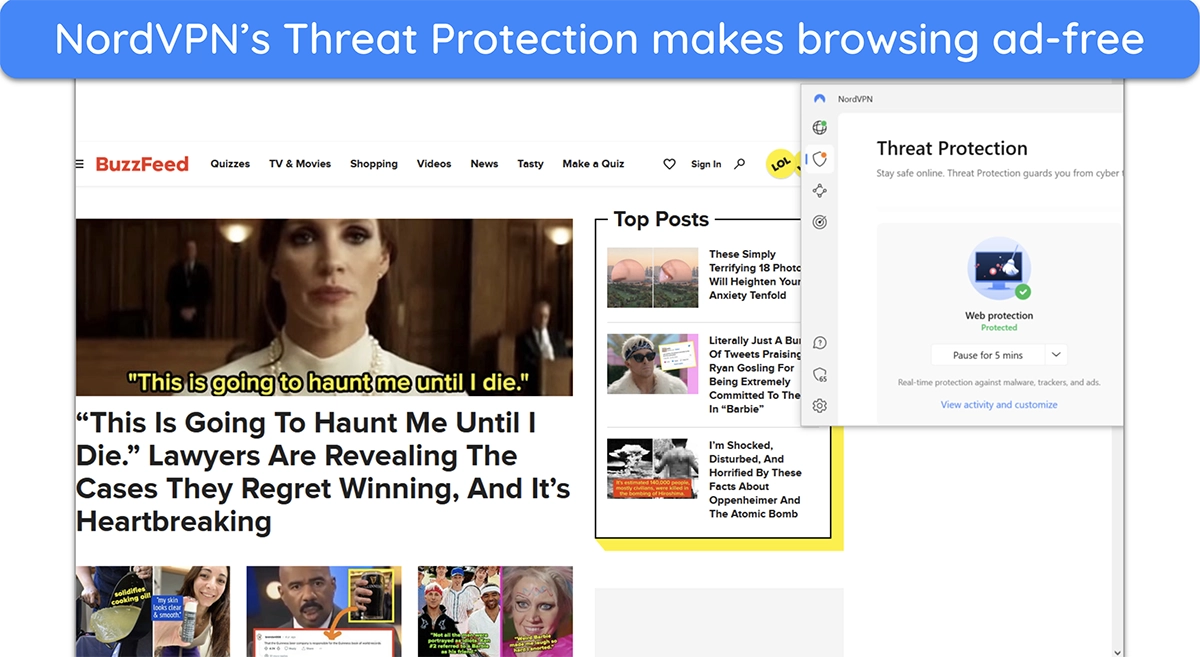
In my tests, Threat Protection reliably blocked ads on most websites I visited. Note that NordVPN’s Google Play version doesn’t include an ad blocker because of Google’s ad policy. However, you can get this feature if you get NordVPN on your Android via a .apk file from its official website.
NordVPN’s Plus and Complete plans come with Threat Protection Pro, which blocks ads, trackers, and phishing sites. It also checks downloads and each web request in real time to prevent malware attacks. Unlike standard Threat Protection, which filters only at the DNS level, Pro goes deeper by blocking threats at the URL level and catching malware hidden in files.
Meshnet — Unique Feature With a Wide Range of Use Cases
NordVPN’s Meshnet lets you securely connect up to 60 devices in total — 10 of your own, and 50 external devices, allowing remote access, file sharing, and traffic routing between them. You can create a virtual LAN for gaming with friends , simulating a local network for multiplayer games. Meshnet is highly flexible, but performance varies by device, as older devices may reduce connection speeds.
I set up Meshnet on my Windows laptop, a MacBook (direct download version), an Android phone, and an iPhone. The setup was quick and easy — I installed the NordVPN app, activated Meshnet, and sent invites to each device. It took me less than 10 minutes to link all my devices without any issues.

On Windows, I could route traffic and share full folders, while Mac allowed routing and file sharing but not folder sharing . Android and iOS let me share files and route traffic through other devices, but they couldn’t host traffic or share folders. Everything worked seamlessly without any unexpected limitations.
File sharing was fast and reliable during my tests. I moved a 2GB video from my laptop to my phone in about 3 minutes with no compression or quality loss. Routing my laptop’s traffic through my home PC added about 170ms of ping, which was fine for browsing but not great for gaming.
Dark Web Monitor — Informs You if Any Sensitive Data Gets Leaked
NordVPN’s dark web monitoring scans the dark web for any leaks tied to the email registered with your account. If your credentials appear in compromised databases or hacker marketplaces, NordVPN alerts you instantly about which service was breached. This way, you can quickly change your passwords or enable two-factor authentication.
NordPass — Securely Stores All Your Passwords
NordPass is a secure password manager that lets you store, organize, and access your passwords from any device, anytime. You no longer have to remember complex passwords or worry about keeping track of them. It uses a zero-knowledge architecture, meaning only you can access your stored passwords — not even NordVPN staff can see or retrieve them.

NordPass is available in NordVPN’s Plus and Complete plans. If you’re looking for a way to improve your online security, NordPass offers automatic password generation and secure storage of sensitive information like notes and credit card details. That’s why NordPass is also one of the top password managers in 2026.
NordLocker — Encrypted Storage for All Sensitive Data
With NordLocker, you can securely store, sync, and share files , knowing they’re protected with end-to-end encryption. This means only you have the keys to decrypt your files; no one, not even NordVPN, can access them. It’s a simple way to keep sensitive documents, photos, and files private.
NordLocker is included in NordVPN’s Complete plan. You can easily drag and drop files into the NordLocker app, where they’re automatically encrypted and stored either locally or in the cloud. With cross-device synchronization, NordLocker ensures your files are up-to-date and accessible wherever you go.
Invisibility on LAN — Hides You From Other Local Network Devices
NordVPN’s Invisibility on LAN feature hides your device from others on the same network, which is ideal for public Wi-Fi in places like cafes or airports. It keeps your device undetectable from others. However, enabling this feature also means you won’t be able to connect with local devices like printers or smart TVs, as it isolates your device completely.
You can easily enable Invisibility on LAN in the NordVPN app under general settings. It’s available on all major platforms, including Windows, macOS, Linux, iOS, and Android.
NordProtect — Identity Theft Protection With Recovery Coverage
NordProtect is NordVPN’s latest tool to protect your personal information from identity theft. It’s included in the NordVPN Prime plan for users in the U.S., and there are plans to roll it out worldwide—and as a standalone product—in 2025. If you’re worried about your data being stolen, NordProtect has got you covered with:
- Credit monitoring — Keeps an eye on your credit report and flags any unusual activity, so you can stop identity theft before it happens.
- Dark web alerts — Checks if your personal info, like your email or Social Security number, has been leaked on the dark web and lets you know right away.
- Identity theft recovery — If your identity is stolen, it offers up to $1 million to help with recovery costs.
- Threat Protection Pro — Blocks malware, ads, and trackers while giving you extra security when you browse online.
Privacy Features
NordVPN’s privacy features excel with a strict, third-party-verified no-logs policy and a privacy-focused Panama jurisdiction. Independent audits by Deloitte confirm its strong privacy standards, placing NordVPN ahead of many competitors.
No-Logs Policy — Strong Commitment to Zero Data Storage
NordVPN’s no-logs policy means your online activities are always private. The service doesn’t track, collect, or share your private data — it doesn’t even log your IP address. This is a reassuring commitment to privacy and is a must-have for anyone who values privacy.
Company Jurisdiction — Privacy-Friendly Location
NordVPN is headquartered in Panama , outside the 5/9/14 Eyes Alliance’s jurisdiction. Also, the Republic of Panama doesn’t have any data retention laws, meaning NordVPN isn’t required to store your data or collaborate with international surveillance efforts.
Independent Audits — Proven to Be True to Its Word
NordVPN’s no-logs policy has been independently audited and verified 4 times over the years, further cementing its commitment to privacy. It’s been audited by PricewaterhouseCoopers AG and Deloitte , two highly renowned names. The audits proved that the app doesn’t monitor or log any user data, thus ensuring complete privacy.
Server Locations
NordVPN delivers an easy user experience by combining multi-device support with practical features like split tunneling, Threat Protection Lite, and seamless setup across desktop, mobile, and browser extensions.
Simultaneous Device Connections — Secures up to 10 Devices
NordVPN lets you connect up to 10 devices simultaneously , which is a generous connection allowance. I connected the VPN on my Android phone, Windows desktop, Windows laptop, and smart TV simultaneously, and the connection was fast and stable on all devices.
For even broader coverage, you can set up a VPN connection on your router . This way, every device on your network is protected using just one slot. Plus, NordVPN’s router guides simplify setup on popular routers like ASUS and DD-WRT, letting you secure smart home gadgets that don’t support VPNs directly.
Device Compatibility — Works on Almost All Platforms
Desktop Apps (Windows, macOS, and Linux)
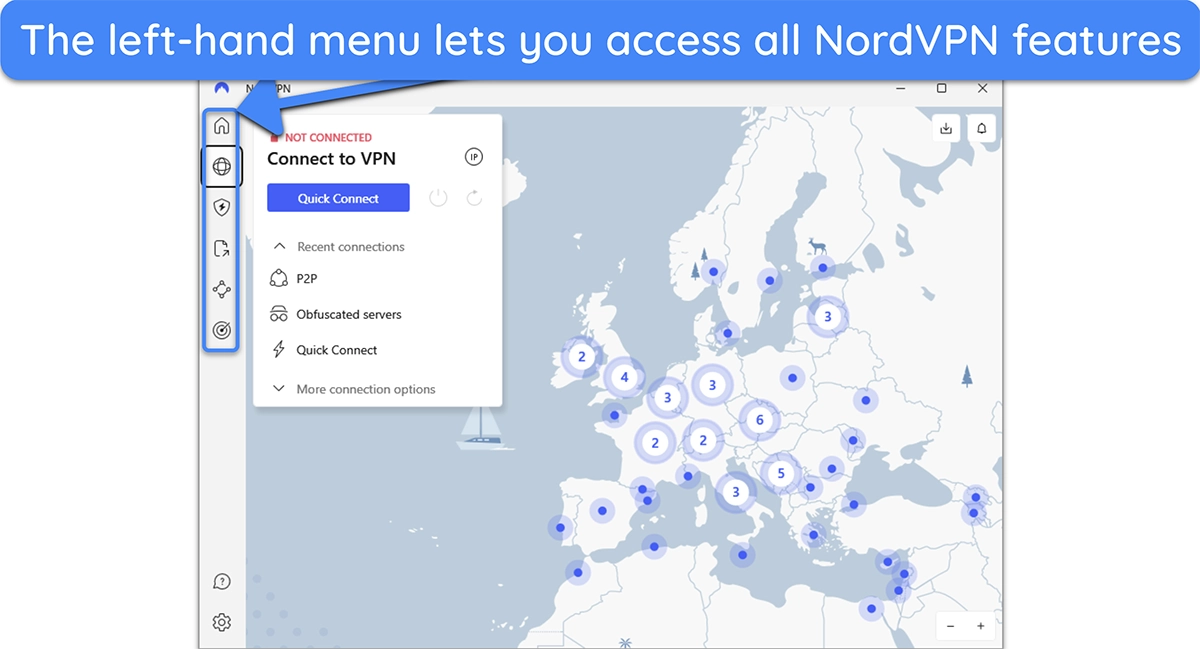
NordVPN is one of the best Windows VPNs , thanks to its user-friendly desktop apps that anyone can use. Its Windows, macOS, and Linux apps have an intuitive menu on the left-hand side that lets you use the VPN, access all the other features, and adjust the settings whenever needed. The server browser is also simple, with all the options laid out clearly.
Linux users can use NordVPN’s command-line app, which supports features like auto-connect and Kill Switch for enhanced security. Setup is straightforward , with guides available for various distributions, including Ubuntu and Debian.
Mobile Apps (Android and iOS)
NordVPN’s mobile apps for Android and iOS are easy to use, with a bottom navigation bar for quick access to settings, specialty servers, and Threat Protection. Both mobile apps include Meshnet for file sharing and obfuscated servers for restrictive networks, though dedicated IP isn’t supported on mobile.
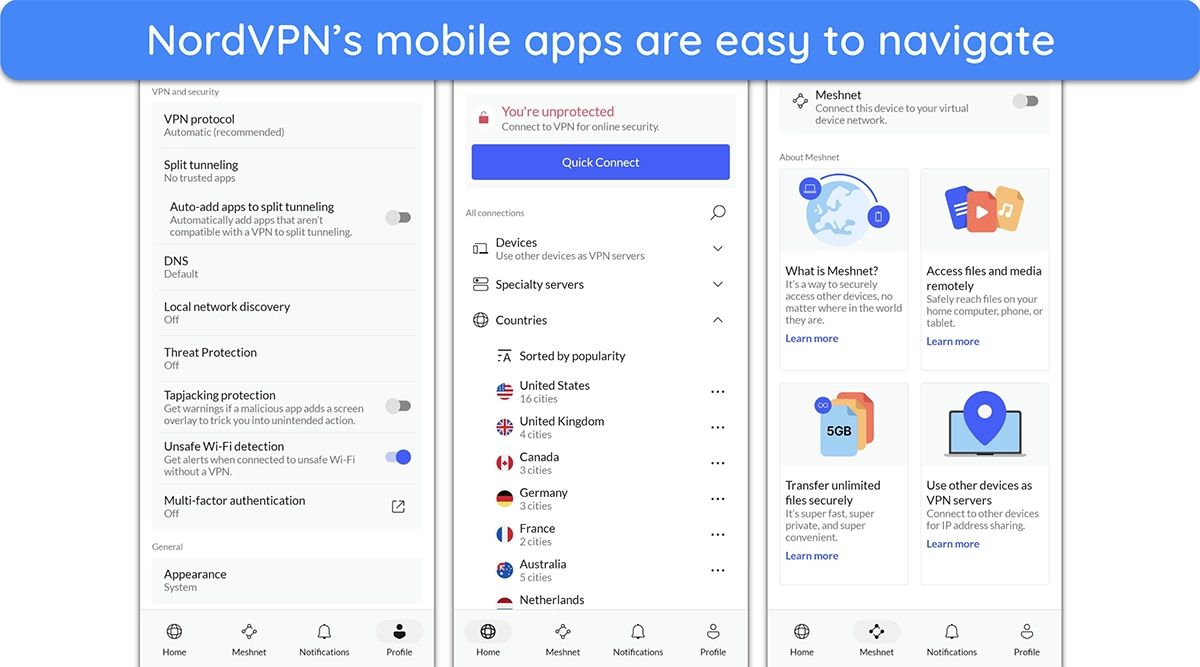
On iOS, you can use Siri shortcuts to activate the VPN hands-free, while Android users can download an APK version for ad-blocking (since Google Play restricts this feature). Both apps default to NordLynx for faster connections and auto-connect on untrusted Wi-Fi, keeping you secure on public networks.
Streaming Devices (Fire Stick, Android TV, and Apple TV)
NordVPN includes dedicated apps for Fire Stick , Android TV, tvOS (Apple TV) , and many other streaming devices. These apps feature a simple interface, letting you connect instantly via Quick Connect and access specialty servers with ease. On Fire Stick, for instance, you can configure settings for auto-connect and Threat Protection Lite.
If you have a smart TV or streaming device without native VPN support, you can still set up the VPN on your smart TV using NordVPN’s Smart DNS feature. This won’t give you access to all of NordVPN’s features, but it’s enough to ensure you can access all your favorite streaming sites.
Ease of Setup & Installation — Simple and Straightforward
NordVPN is among the most straightforward VPN services to install and set up . You’ll get clear instructions each step of the way, showing that the team has put thought into making the process as hassle-free as possible for both tech-savvy users and beginners.
How to Install NordVPN on Windows
- Choose a plan. Go to NordVPN’s website and choose the plan that fits your needs.
- Subscribe to NordVPN. Enter your email, payment, and other details to subscribe to NordVPN
- Download the setup. Log in to NordVPN’s web portal after subscribing to download its Windows setup.
- Install NordVPN. Run the NordVPN setup, choose an install directory, and follow all its steps to install NordVPN on your system.
- Connect to a server. Once NordVPN is installed, launch it and click on “Quick Connect” to automatically connect to the fastest nearby server.
Browser Extensions — Add WebRTC Leak Protection to Your Browser
NordVPN’s browser extensions for Chrome, Firefox, and Edge secure your browser traffic with just a click, hiding your IP and blocking ads and malicious sites through Threat Protection Lite. This setup keeps browsing fast and private, especially if you’re browsing the web on unsecured public WiFi networks.
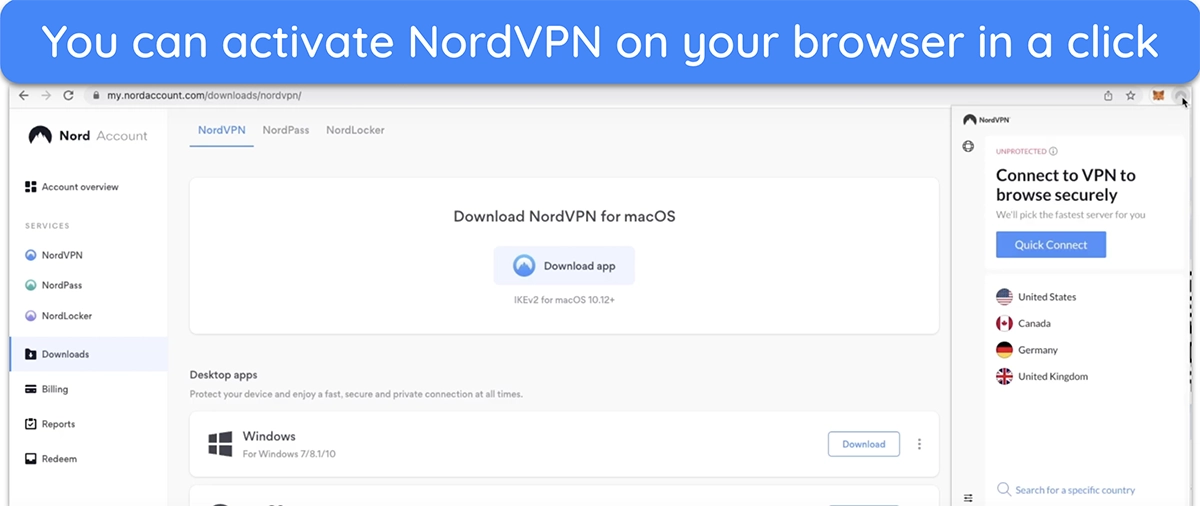
With WebRTC leak protection, NordVPN’s extensions keep your IP address hidden during calls or video chats, and split tunneling lets you choose which sites use the VPN, so local sites load directly. The extension immediately starts protecting your browser traffic as soon as you open it, ideal for secure, seamless browsing every time you go online.
NordVPN offers quick customer support through multiple channels. Its 24/7 live chat is the fastest way to get help, but you can also reach out via email for more technical issues. That said, you’ll find most of your answers in its online guides.
24/7 Live Chat — The Easiest Way to Get Help
NordVPN’s live chat proved to be the best support channel in my tests. It’s easily accessible from NordVPN’s support page, and it connects you with an agent within a few minutes. I frequently contacted live chat during my tests, and the agents always gave detailed answers to my questions.
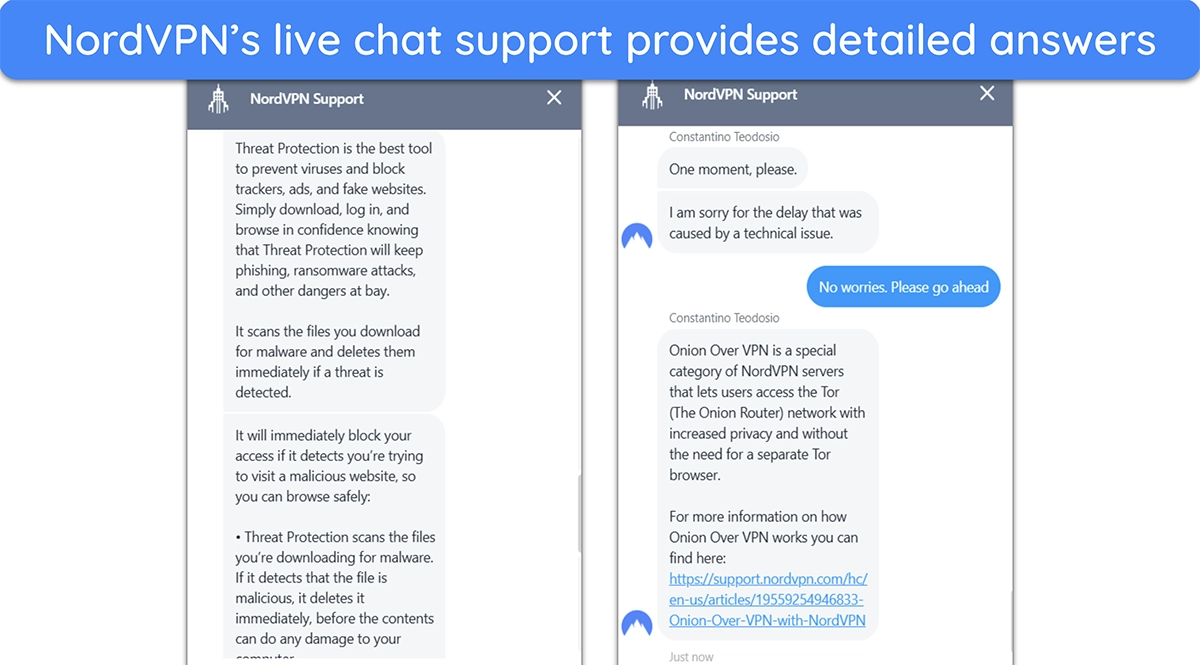
Note that NordVPN’s live chat initially connects you with a bot that automatically generates responses to help resolve basic queries. If these aren’t enough, you can simply ask the bot to connect you with an agent. I also liked that NordVPN manages support in-house instead of outsourcing it to third parties.
Email Support — Detailed, Professional Responses
If you don’t need an urgent response, NordVPN’s email support is a great alternative support channel. You can reach out by sending an email to support@nordvpn.com . Whenever I contacted email support, I got answers within 24 hours. Responses through email support are always more detailed, so this channel might be better if you have a long query.
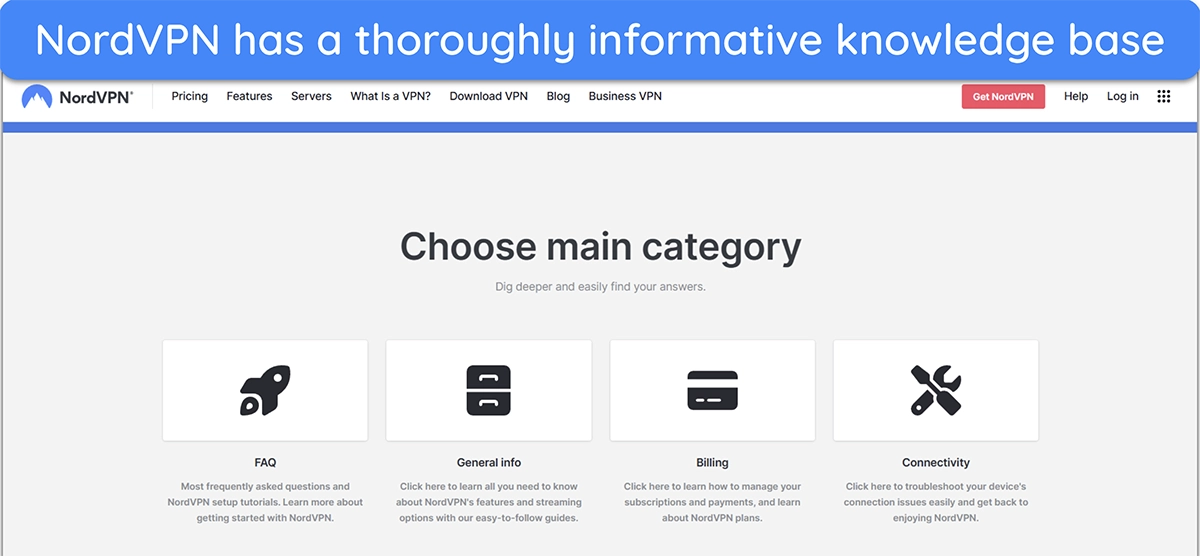
NordVPN’s knowledge base also has a helpful search function where you can type your query to get relevant results. If you can’t find answers here, you can also post on NordVPN’s official subreddit . I noticed NordVPN’s representatives usually respond to posts and unusual troubleshooting questions.
In-App Ticketing — A Convenient Time-Saver
For added convenience, NordVPN has an in-app ticketing system that lets you report issues or ask questions without exiting the app.
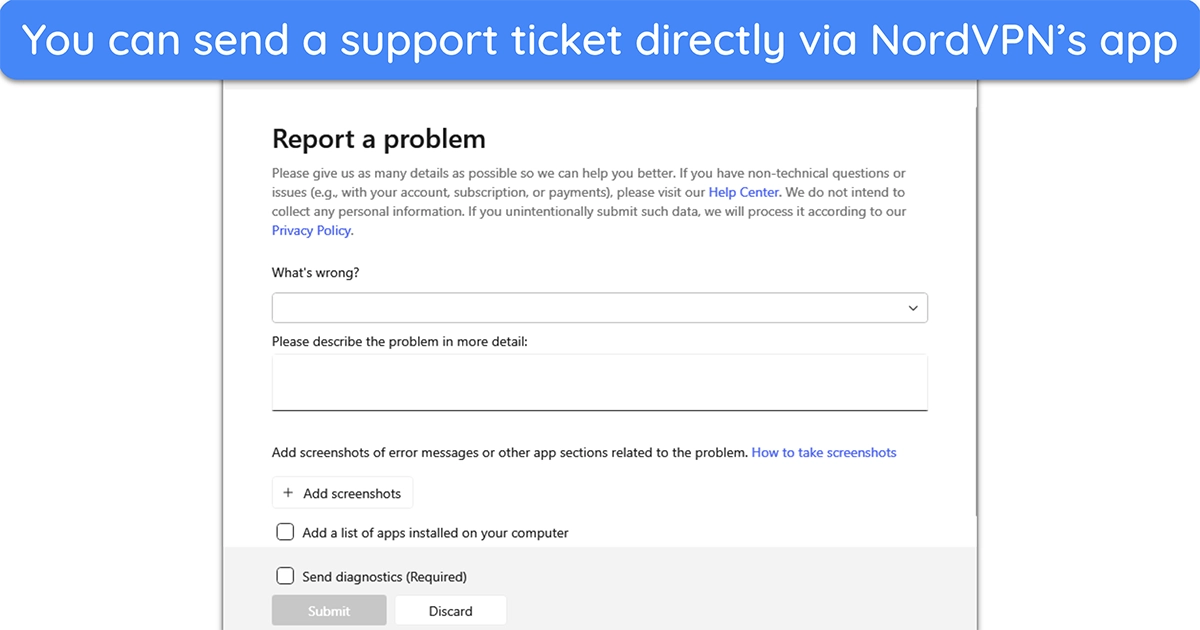
In-app ticketing is available in NordVPN’s desktop and mobile versions, making it easy to report problems on any device.
| VPN vendor | Email response time | 24/7 support | Live chat | Refund policy | Native English |
|---|---|---|---|---|---|
| NordVPN | 3 hours |
| NordVPN | |
|---|---|
| Email response time | 3 hours |
| 24/7 support | |
| Live chat | |
| Refund policy | |
| Native English |
NordVPN has prices that compete with other top VPNs . Unlike many VPN providers that only allow users to choose their subscription duration, NordVPN adds flexibility by offering four different service tiers: Basic, Plus, Complete, and Prime.
Plans — Multiple Subscriptions to Suit Everyone’s Needs
While it’s a bit costlier than other top VPNs with great monthly plans , NordVPN delivers good value for money . I recommend its Basic plan, as it includes all the VPN’s key features at a reasonable price. More advanced features like anti-malware protection and cloud storage are included in the premium plans. Here’s a chart detailing what you’ll get with each plan.
| Basic | Plus | Complete | Prime | |
|---|---|---|---|---|
| Threat Protection (Ad blocker) | ✔ | ✔ | ✔ | ✔ |
| Simultaneous devices | 10 | 10 | 10 | 10 |
| Password manager | ✘ | ✔ | ✔ | ✔ |
| Data breach scanner | ✘ | ✔ | ✔ | ✔ |
| Threat Protection Pro | ✘ | ✔ | ✔ | ✔ |
| 1TB cloud storage | ✘ | ✘ | ✔ | ✔ |
| Identity theft recovery (US only) | ✘ | ✘ | ✘ | $1M in coverage |
| Money-back guarantee | 30 | 30 | 30 | 30 |
Payment Methods — Various Options for All Users
I was pleased to see that NordVPN supports a massive variety of payment methods, including cryptocurrency for anonymous sign-ups. However, even if you don’t pay with crypto, your privacy should be safe because NordVPN doesn’t save any payment information on its servers . Here are all the payment options it accepts:
| Credit and debit cards | Visa, MasterCard, American Express, Discover, UnionPay |
|---|---|
| Digital wallets | Google Pay, Apple Pay, Amazon Pay (availability varies by country) |
| Regional payment methods | Sofort, iDEAL, Boleto, and more |
| Prepaid cards | As long as they can be registered online with an address. Cards must support recurring payments and international transactions for successful processing. |
| App-specific payments | iTunes (Apple) and Google Play for mobile devices |
| Retail cash payments | Gift cards from Amazon, Apple, and Google Play |
| Cryptocurrencies | Bitcoin, Ethereum, Litecoin, Ripple, and over 80 others |
Money-Back Guarantee — Fast Refunds With No Questions Asked
Every NordVPN plan comes with a 30-day money-back guarantee , meaning you can try the app without risk. I even tested the refund policy by asking for a refund via live chat after my tests. The agent initially attempted to upsell me but promptly processed my refund when I confirmed I wanted one. Afterward, I had the money back in my account within a week.
NordVPN has the following offers
Final Verdict
NordVPN is as good as it claims to be, and my rigorous tests proved it — I’d certainly place it among my top 5 list in 2026. It’s super fast, has a reliable global network, works with major streaming services, and provides top-tier security and privacy you won’t find on regular VPNs. Plus, its Panama-based location keeps you safe from government surveillance.
You can try NordVPN completely risk-free , as it comes with a 30-day money-back guarantee. This refund window gives you lots of time to try all the VPN’s features without restrictions. If you’re unsatisfied during this time, you can easily get a refund by contacting NordVPN support.
While NordVPN doesn’t offer a free plan, its 30-day money-back guarantee lets you try the service without risk . If you’re unsatisfied, you can contact support and ask for a full refund.
If you need a simple VPN for basic use, there are some good free VPNs that maintain effective security and provide decent connection speeds.
- Overall
- Speed
- Servers
- User Experience
- Support
- Pricing

Editor’s Note: We value our relationship with our readers, and we strive to earn your trust through transparency and integrity. We are in the same ownership group as some of the industry-leading products reviewed on this site: ExpressVPN, CyberGhost, Private Internet Access, and Intego. That said, our detailed reviews follow a strict methodology that examines all relevant performance factors to help you arrive at your own informed conclusion.

