How to Install NordVPN on Linux in 2026 — Step-By-Step Guide
- Written by Osama Zahid Cybersecurity Specialist
- Fact-Checked by Justyn Newman Former Lead Cybersecurity Editor
- Reader’s Comments 1
NordVPN provides native apps for many platforms, including most Linux distributions. It may seem complicated to install on Linux because you have to use terminal commands, but it’s really easy to get NordVPN on Linux and start using it .
In this article, I’ll explain how you can quickly and easily install NordVPN on Linux to secure your online activity. Plus, I’ll highlight several useful terminal commands that’ll help you make the most of this VPN when using it on a Linux distribution. Editor’s Note: We value our relationship with our readers, and we strive to earn your trust through transparency and integrity. We are in the same ownership group as some of the industry-leading products reviewed on this site: ExpressVPN, CyberGhost, Private Internet Access, and Intego. That said, our detailed reviews follow a strict methodology that examines all relevant performance factors to help you arrive at your own informed conclusion.
Quick Summary: Installing NordVPN on Linux
- Purchase to NordVPN. Access the NordVPN website and choose an offer that suits you.
- Install NordVPN on Linux. Open your Linux device’s terminal, run the command to install NordVPN, and grant it all the necessary permissions to run once installed.
- Use NordVPN. Log into your NordVPN account using a terminal, connect to a server, and safeguard your online activity with NordVPN.
Try NordVPN for Linux
How to Install and Use NordVPN on Linux: Complete Guide
I learned during tests that you can easily install and use NordVPN on almost all Linux distributions . It works on Ubuntu, Debian, Linux Mint, Elementary OS, Fedora, RHEL, CentOS, and many others. The only Linux distributions NordVPN doesn’t support are TempleOS, TailsOS, and Arch.
Step 1: Access the Terminal and Install NordVPN
Log into your Linux device and open the terminal.
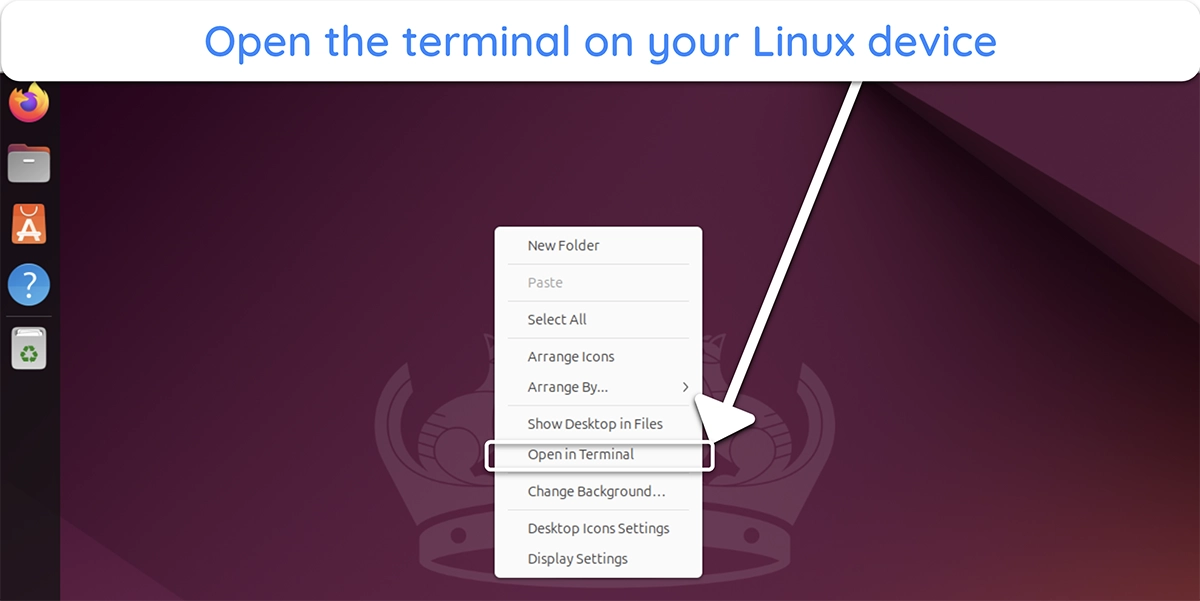

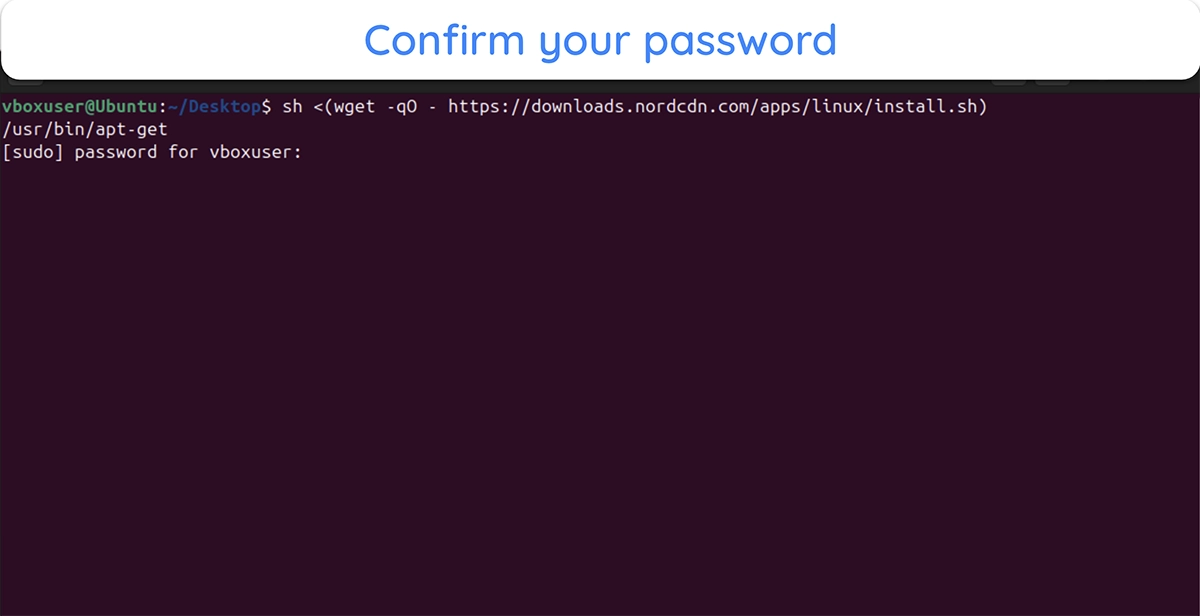
Enter the following command in the terminal to install NordVPN on your Linux device: sh <(wget -qO - https://downloads.nordcdn.com/apps/linux/install.sh)
Confirm your Linux administrator password to continue with the installation.
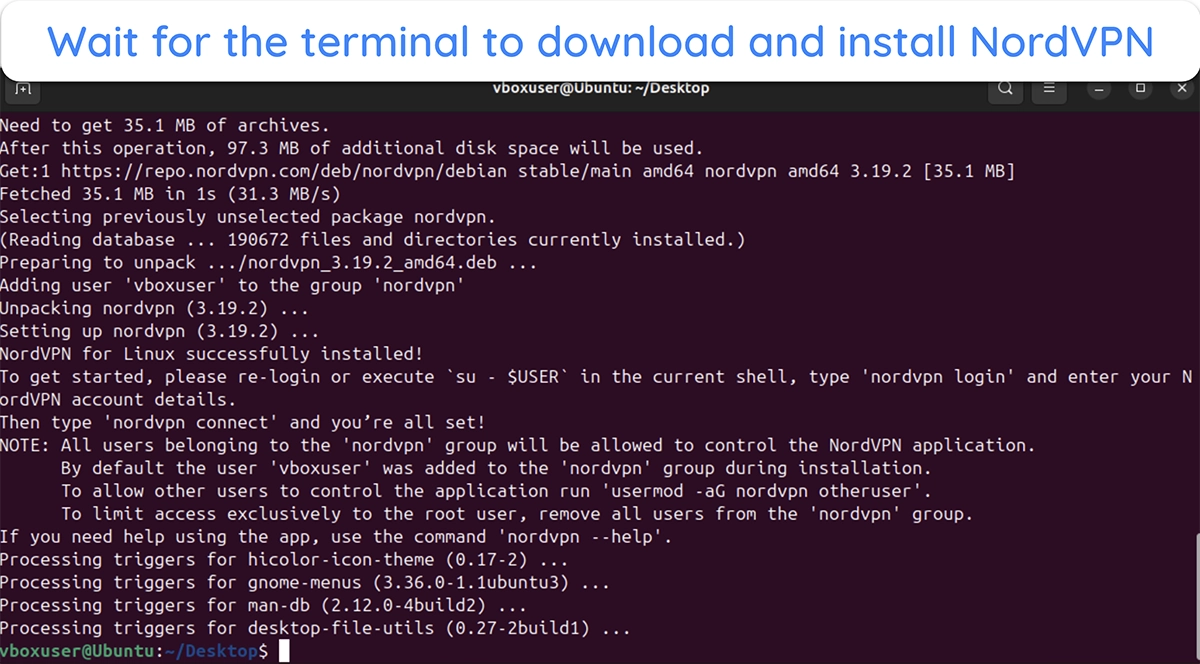
After confirming your password, wait for the terminal to download the necessary packages and install NordVPN on your Linux device.
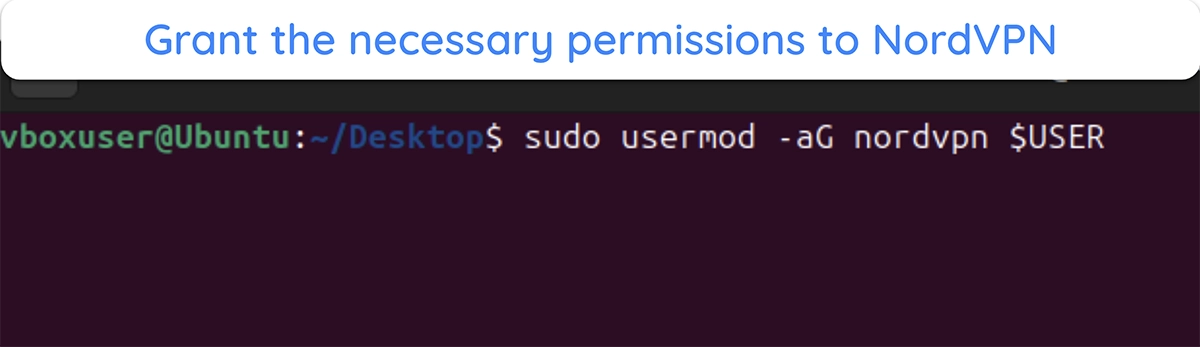
Enter the following command to give NordVPN the necessary permissions and ensure it works without issues: sudo usermod -aG nordvpn $USER
Step 2: Get Your Access Token to Log Into NordVPN on Linux
Log into the Nord Account Web Portal and access the NordVPN section from the menu on the left-hand side.
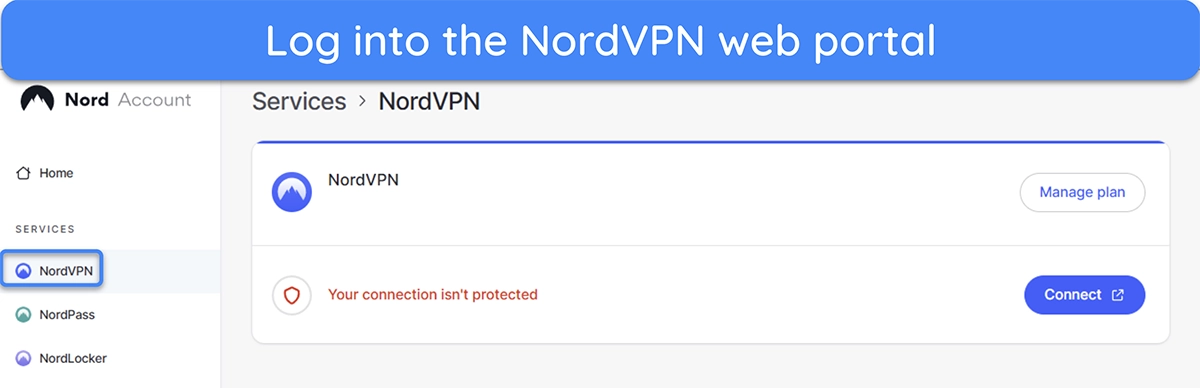
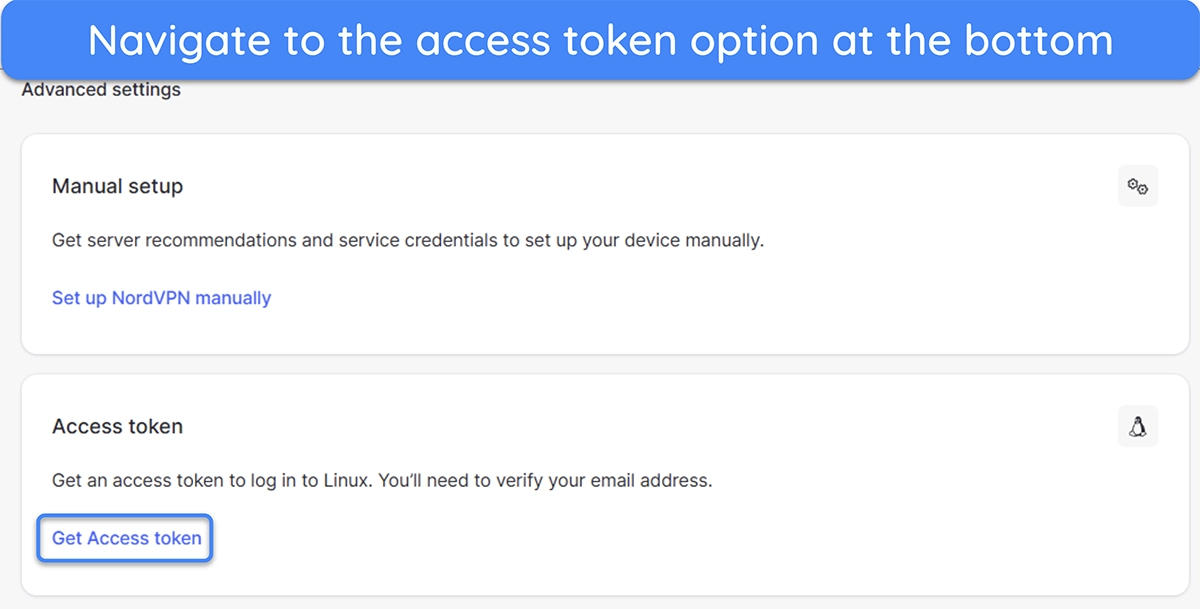
Navigate to the bottom of the NordVPN menu and open the access token section.
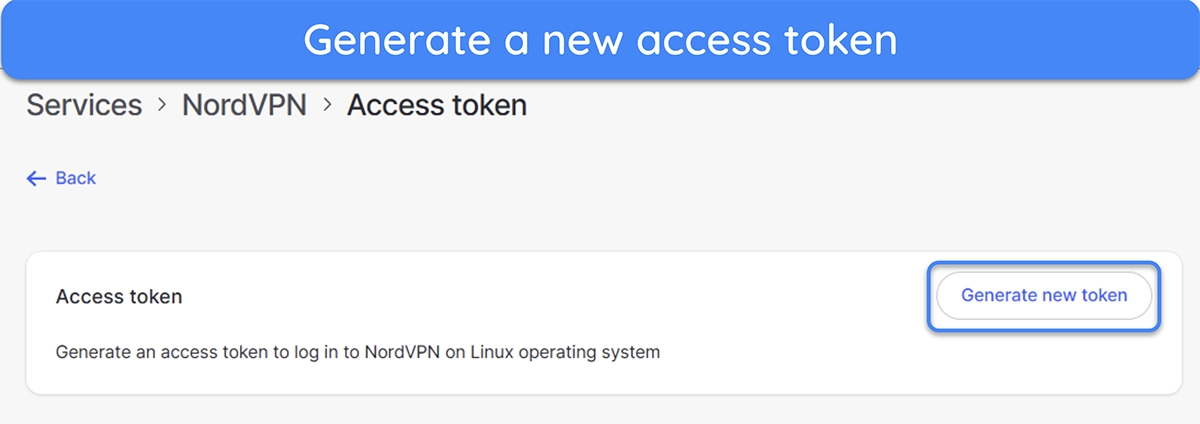
Click on “Generate new token” to create a new access token that you’ll use to log into NordVPN on Linux.
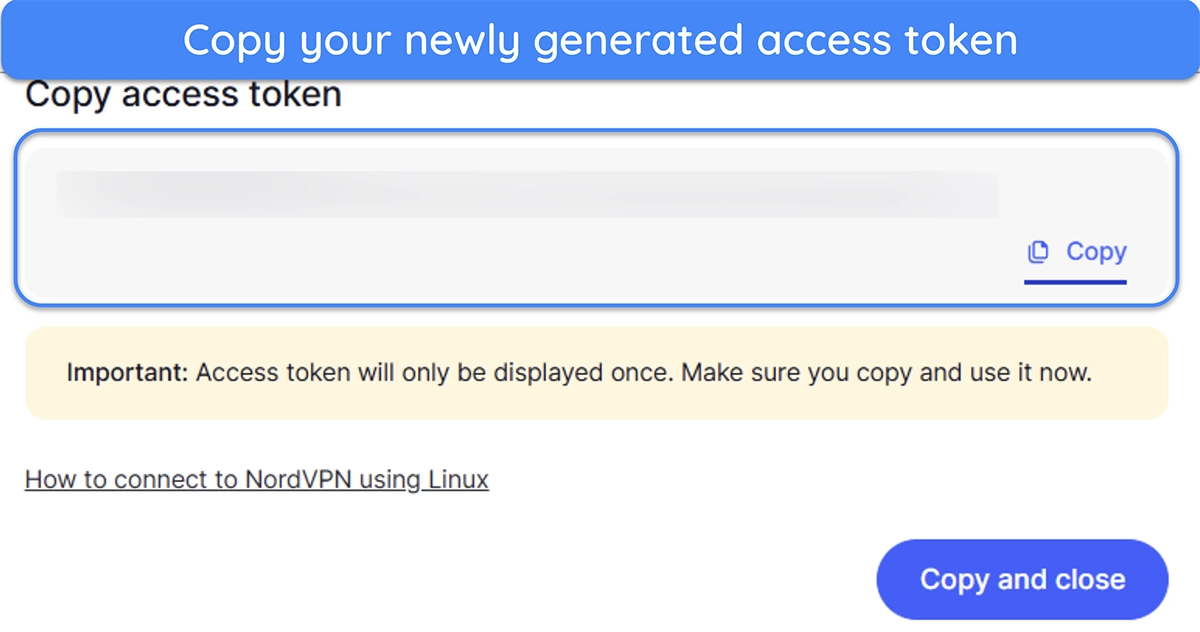
Copy the access token generated on NordVPN’s web portal. Note that you can generate an access portal that lasts for up to 30 days or one that lasts indefinitely.
Step 3: Login and Connect to NordVPN
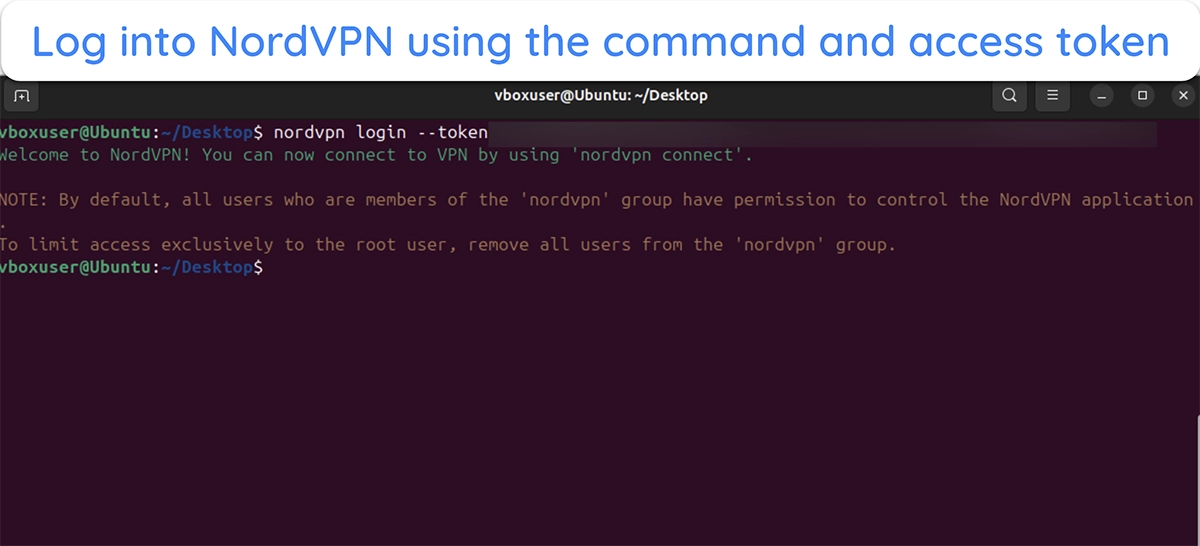
Log into NordPVN on Linux using the following command (replace ‘access token’ with the token you copied from the NordVPN web portal): nordvpn login ‘access token’
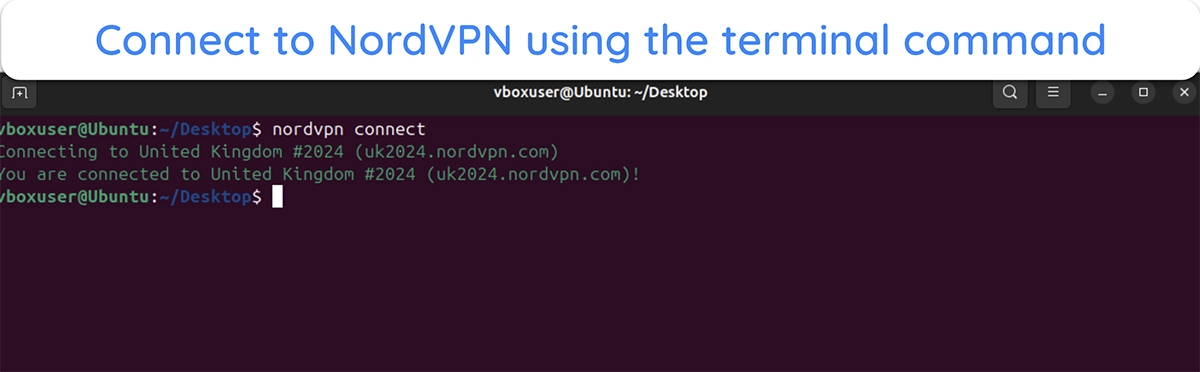
Use the ‘nordvpn connect’ command to connect to NordVPN and safeguard your connection on Linux.
Manual Server Selection on NordVPN for Linux
Note that the default ‘nordvpn connect’ command will always connect you to the fastest nearby NordVPN server. However, you can also specify exactly which server location you want to connect to.
- See the server list. Use the ‘nordvpn countries’ command to see a list of all the countries where NordVPN has servers. The locations highlighted in blue have virtual servers.
- Connect to your preferred location. Use the ‘nordvpn connect’ or ‘nordvpn c’ command followed by the country name to connect to your preferred location.
Helpful NordVPN Terminal Commands on Linux
Since NordVPN doesn’t offer a GUI on Linux, you must rely on terminal commands to use it. The following table includes important terminal commands you’ll need to utilize NordVPN on Linux:
| Command | Function |
|---|---|
| nordvpn c / nordvpn connect | Automatically connects you to the fastest nearby server (Can be followed by country or server number to specify the exact server) |
| nordvpn countries | Shows a list of countries where NordVPN has servers |
| nordvpn c double_vpn | Connects you to a nearby double VPN server |
| nordvpn c p2p | Connects you to the fastest nearby P2P server |
| nordvpn d / nordvpn disconnect | Disconnects you from NordVPN |
| nordvpn login | Logs you into your NordVPN account (must be followed by an access token) |
| nordvpn logout | Logs you out of your NordVPN account |
| nordvpn account | Shows your NordVPN account information |
| nordvpn register | Lets you register for a new NordVPN account |
| nordvpn settings | Shows your current NordVPN settings |
| nordvpn status | Shows the current NordVPN connection status |
| nordvpn set killswitch on / off | Enables or disables the kill switch feature |
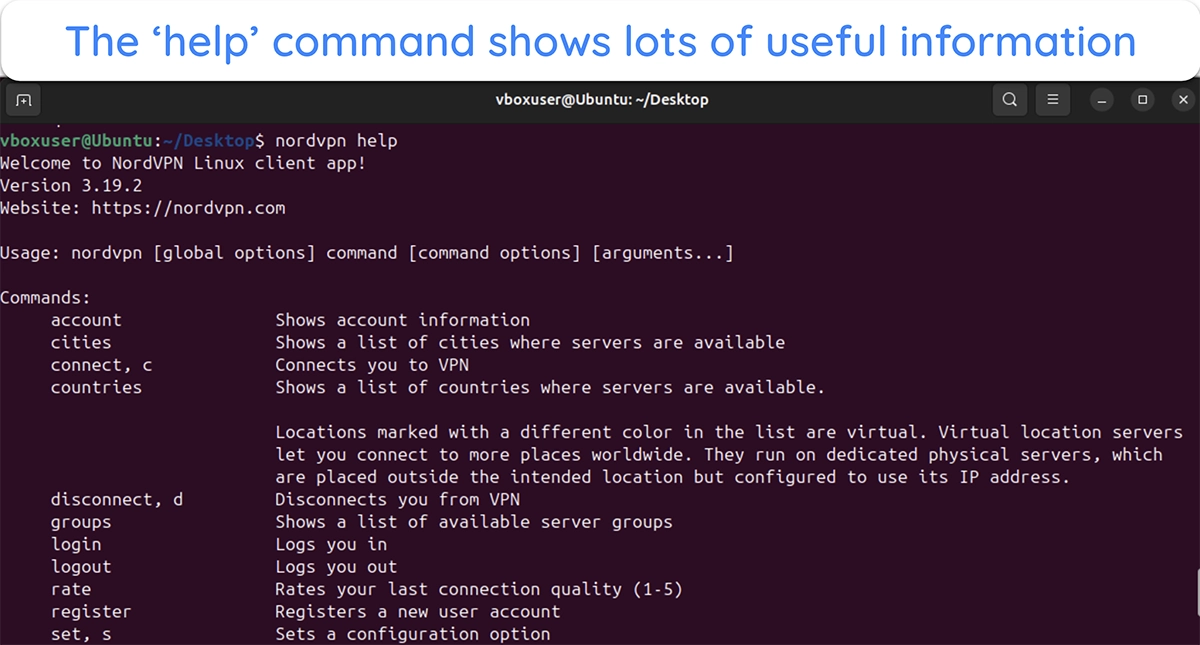
The above commands are among the few you’ll need to make the most of NordVPN on Linux. Also, you can use the ‘man nordvpn’ or ‘nordvpn help’ commands to bring up an extensive list of commands and other information.
Is NordVPN Good on Linux?
NordVPN is good on Linux, but it isn’t the best. While it has all the necessary features, NordVPN’s Linux version is command-line based, meaning it isn’t the most beginner-friendly option. You’ll have to get the hang of various commands if you want to use NordVPN properly on Linux.
Thankfully, there are other easier-to-use VPN alternatives on Linux. In my tests, I found that PIA offers a full GUI with its Linux app , making it much simpler to use.
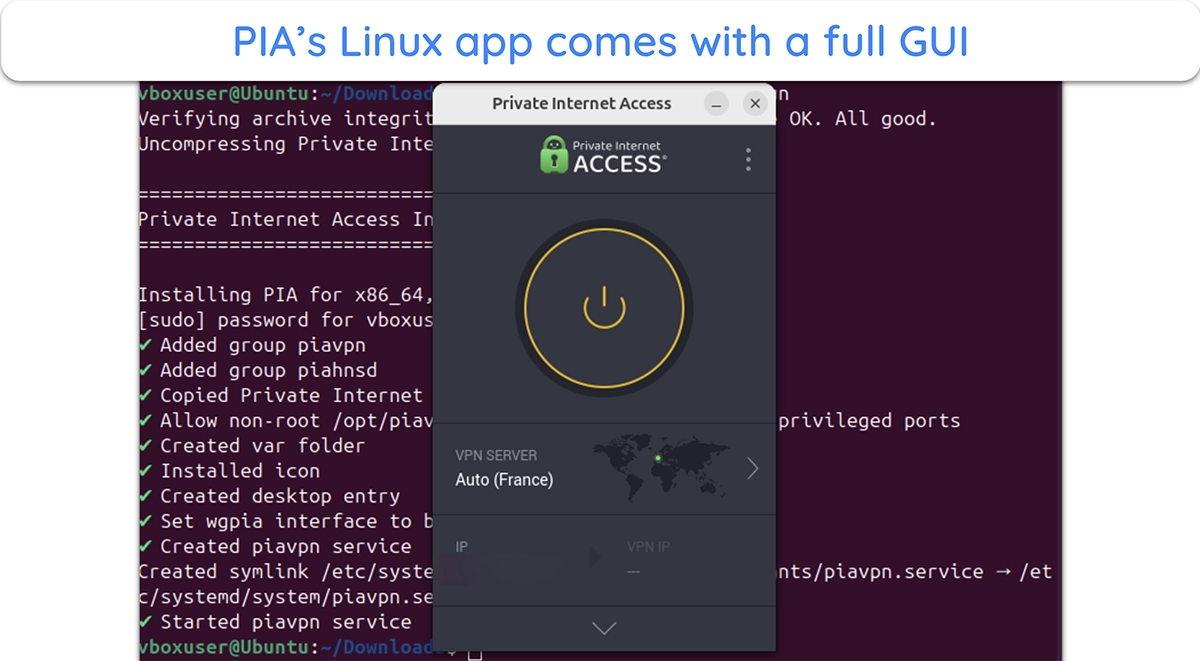
PIA’s Linux app is similar to its other desktop versions. You can easily connect to a server or adjust the configuration. Plus, PIA’s Linux app also includes useful tools like MACE to block annoying ads and trackers while surfing the web .
There are also other reliable VPNs for Linux you can consider if you’re looking for alternatives to NordVPN or PIA.
Secure Your Activity on Linux Using NordVPN
In conclusion, NordVPN is a solid choice for ensuring online security while using a Linux device . Its Linux app provides the same security as other versions and includes useful tools like the Double VPN feature, kill switch, and more.
Additionally, NordVPN isn’t that hard to install and use on Linux . It may initially seem a bit technical because there’s no GUI, but most of the commands are easy to use. Plus, you can always enter the ‘nordvpn help’ command to get more information regarding using the app on Linux.
